Dictate Changes Only
Focus on what changed — let RadPal handle the rest.
How It Works
Load a prior, dictate only the changes, and let RadPal handle the rest. Stable findings carry over automatically.
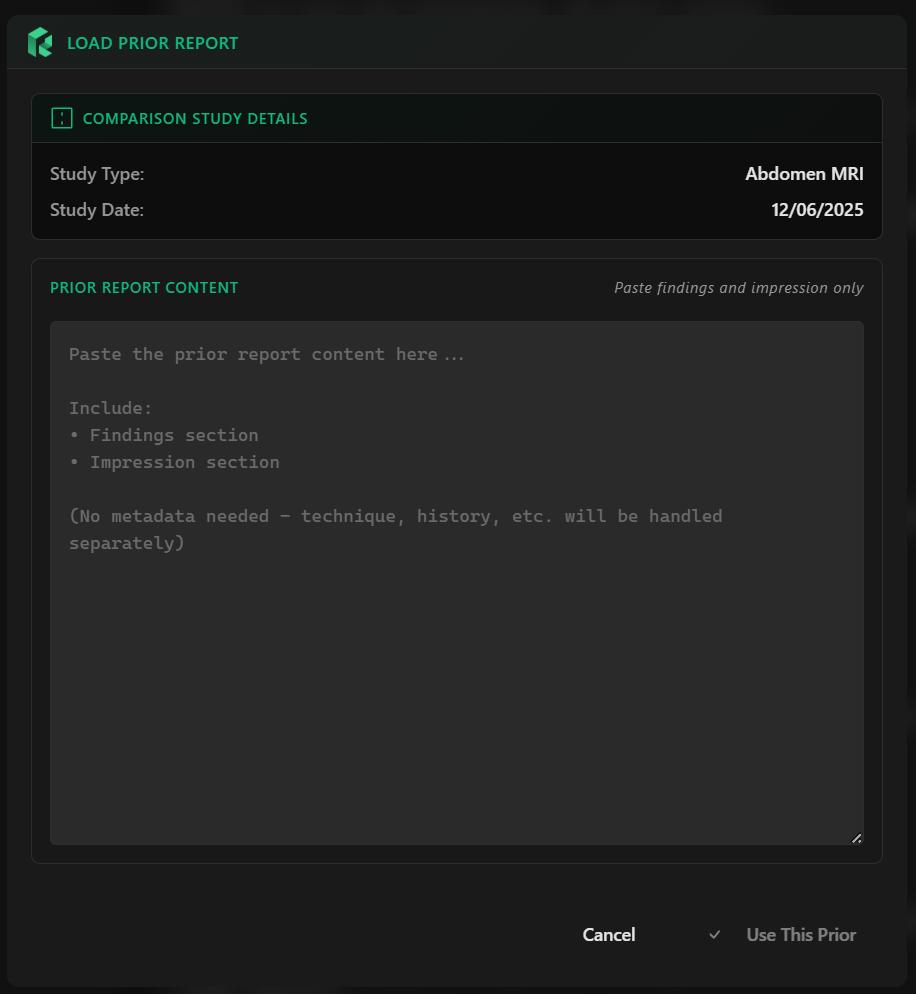
Paste the Prior Report
Select the comparison study and paste the prior report's findings and impression into the modal. RadPal processes it into a clean baseline.
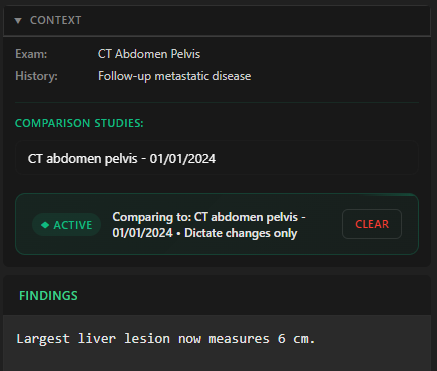
Dictate Only the Changes
Describe new findings, improvements, progressions, and resolutions. You don't need to re-dictate stable findings — they carry over from the prior.
Generate as Usual
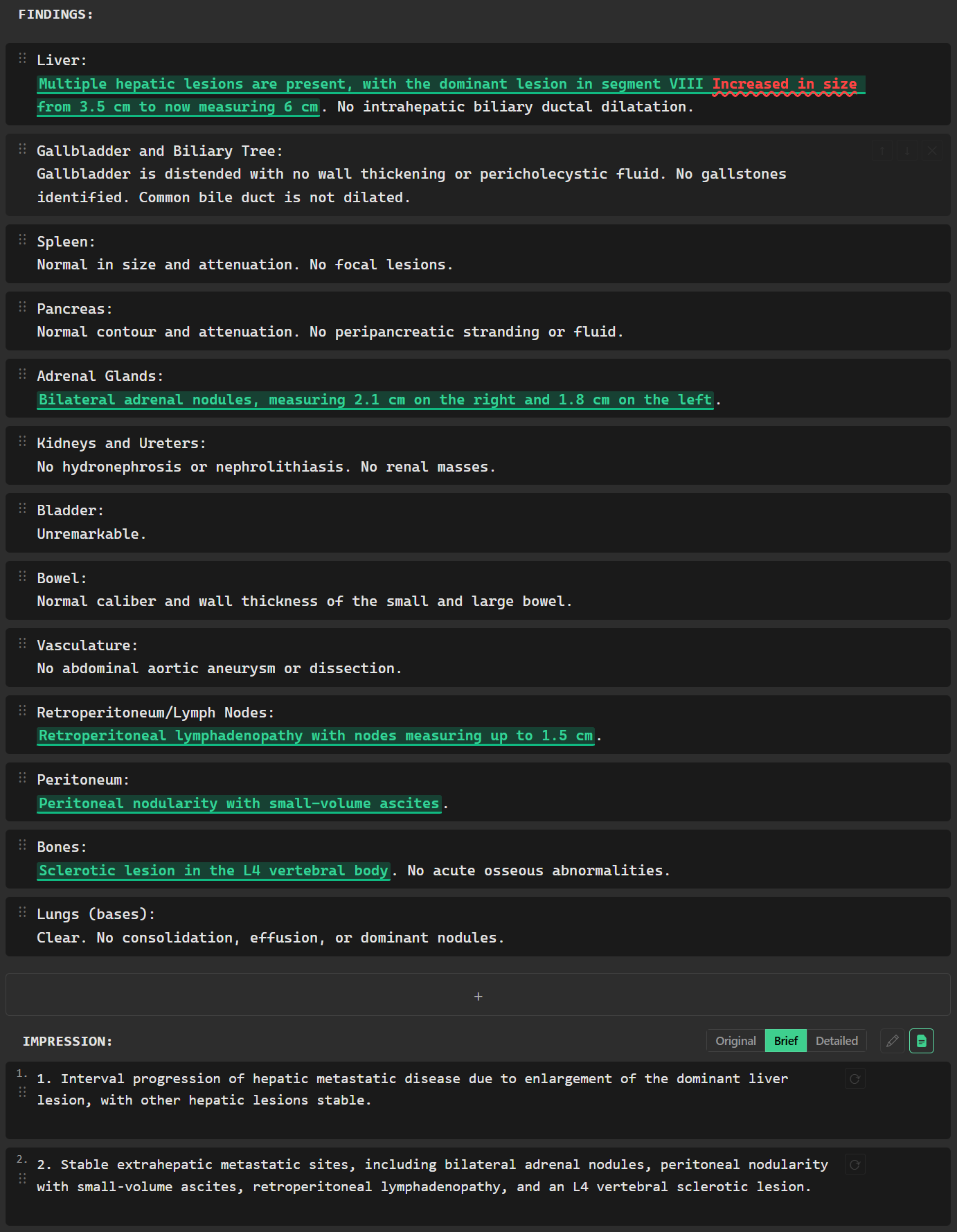
Trigger report generation and RadPal merges the prior baseline with your dictated changes to produce a complete report.
Load Any Prior
Paste a prior report's findings and impression. RadPal strips temporal language to create a clean baseline.
Changes Only
Dictate only what's different. Stable findings carry over automatically from the prior.
Color-Coded Output
Every finding is tagged as new, worsened, stable, improved, or resolved with color-coded markers.
Complete Report
The output is a full, structured report — not a diff. Ready to review, edit, and insert.
Toggle View
Switch between viewing all findings or interval changes only in the report editor.
Clean Insertion
Color markers are stripped on copy or insert — your dictation software receives clean, plain text.